Phone app
Maintenance in your team’s pocket
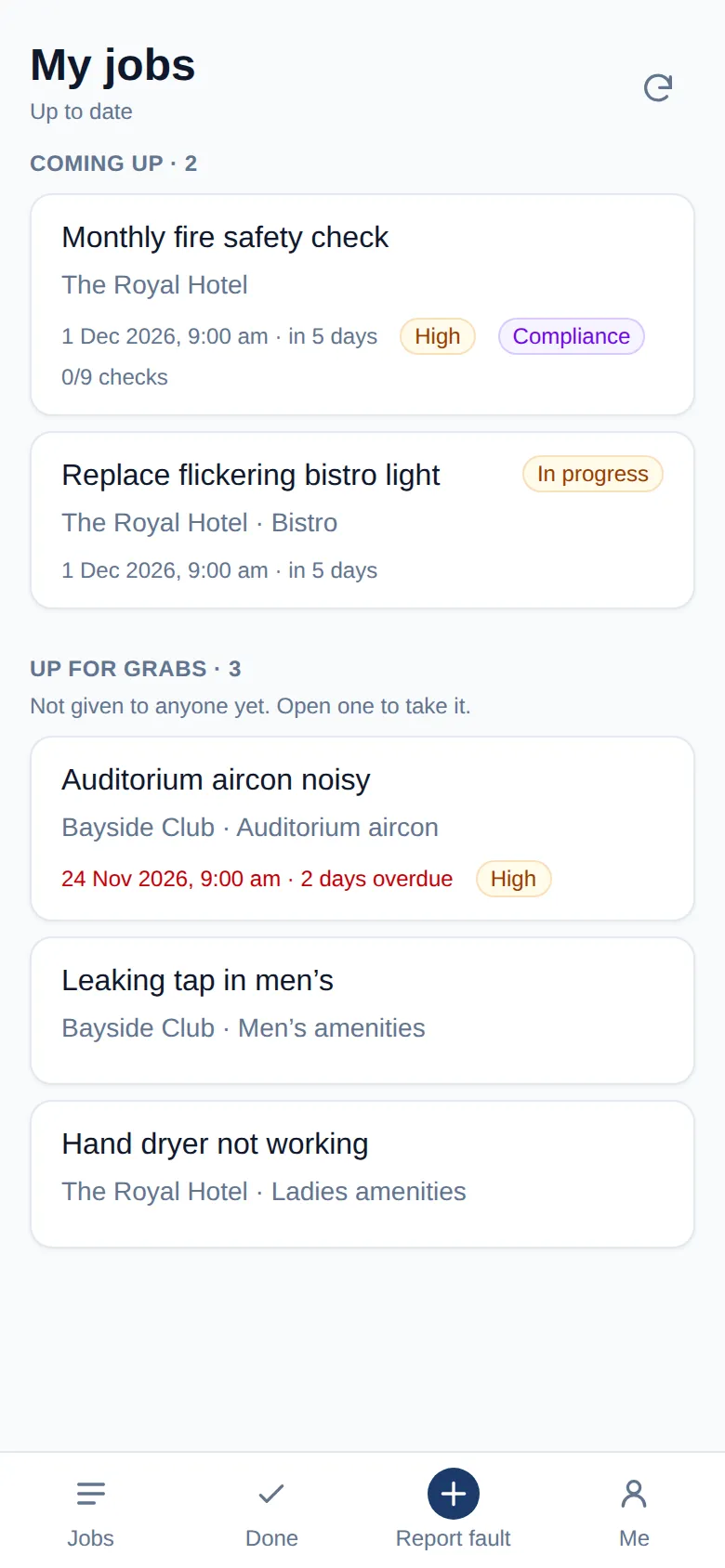
Staff and technicians use CertaMaintain on their own phones: their jobs for today, jobs up for grabs, and a button to report a fault. It works in the cellar, the plant room and the car park, signal or not.
What you get
My jobs, in order
Overdue, today, coming up and no due date, so the most important job is always at the top.
Up for grabs
Jobs not given to anyone yet. Technicians take one and start it with a tap.
Works without signal
Jobs, notes and photos are kept on the phone and sent when it’s back online. Nothing is lost.
Photos as you go
Before and after photos from the camera, attached to the job, with tap to enlarge.
Notifications
A notification when a job is given to you, and before and after it’s due.
No app store
Open it in the phone’s browser and add it to the home screen. It opens like an app on Android and iPhone.
How it works
- Add your staff in Admin → People. They get an email invitation.
- They open CertaMaintain on their phone, sign in and add it to their home screen.
- Their jobs are waiting in My jobs. They start a job, add photos and notes, and mark it done.
- Spot something broken? Report a fault, or scan the QR label on the equipment.
Step-by-step details are in the knowledgebase.
Common questions
Do my staff need to download an app?
No. CertaMaintain opens in the phone’s web browser and can be added to the home screen, where it opens like any other app. It works on Android phones and iPhones.
What happens without signal?
Once the app has loaded your jobs, it keeps working without signal. Anything done offline, including photos, is sent automatically when the phone is back online.
Can staff see other venues’ jobs?
No. People only see the venues they’ve been added to, and technicians see only the phone app, not the managers’ admin.
Does it cost extra per user?
No. The price is per venue, with as many staff and technicians as you need.
More features
See CertaMaintain at your venue
Start a free 30-day trial. No setup fees and no credit card.