Compliance checks
Compliance checks done the same way, every time
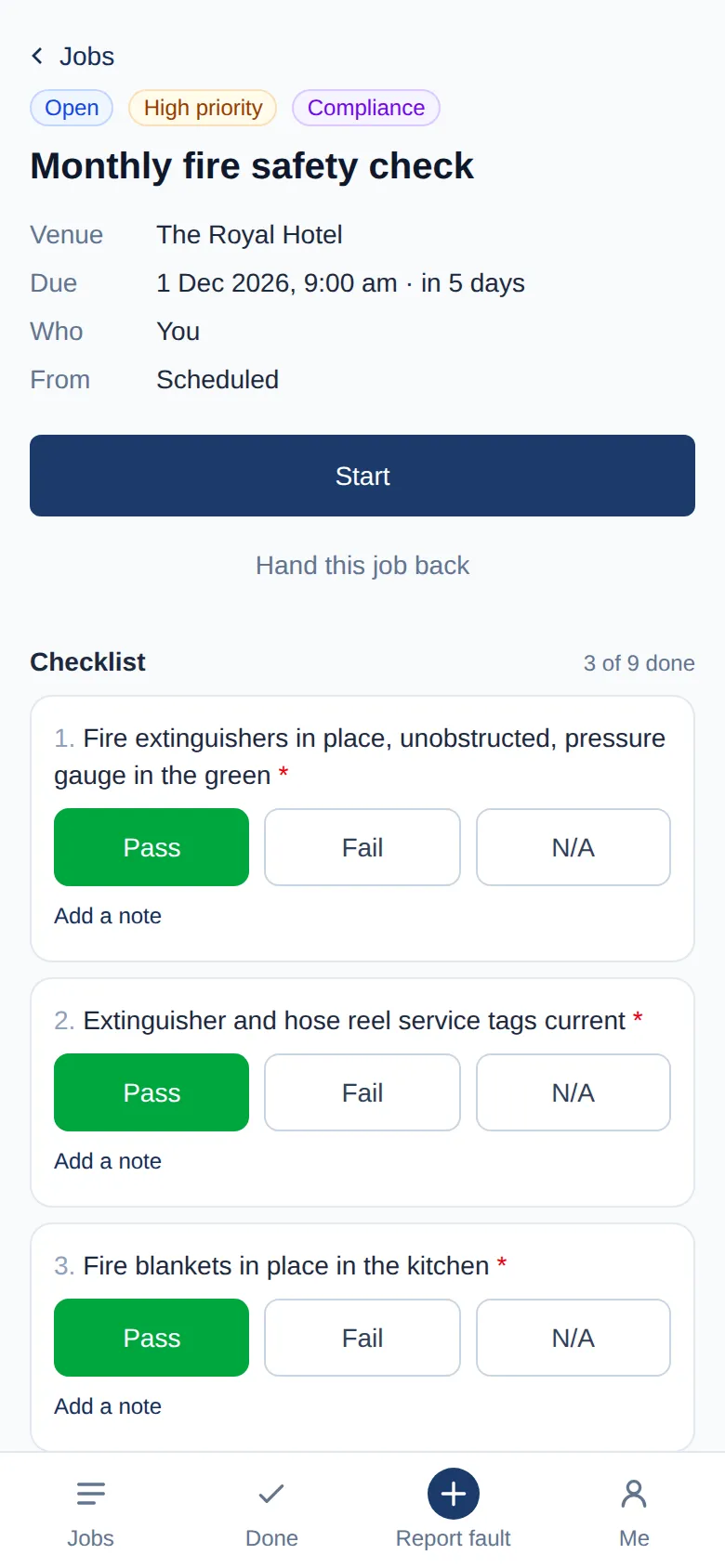
Fire safety walk-throughs, gaming room checks and food safety inspections, step by step on a phone. Each step is answered Pass, Fail or N/A, and every inspection is kept with who did it and when.
What you get
Ready-made checklists
Standard checklists for fire safety, gaming, food safety and general checks come with CertaMaintain.
Make them your own
Copy a standard checklist to edit it, or write your venue’s own, step by step.
Nothing skipped
Required steps must be answered before the job can be marked done.
Overdue checks chased
Overdue compliance jobs are flagged and reminded, with an SMS to managers who turn it on.
On-time record
Reports show every compliance check due in a period and whether it was done on time.
Who and when
Every job keeps a history of who did what and when, for your records.
How it works
- In Admin → Checklists, pick a standard checklist or write your own.
- Add it to a schedule ticked as a Compliance check.
- Each job the schedule makes comes with the checklist, on the right person’s phone.
- See what was done on time in Reports.
Step-by-step details are in the knowledgebase.
Common questions
Which checklists are included?
Standard checklists for fire safety, gaming, food safety and general checks. You can copy and change any of them, or write your own.
What happens when a step fails?
It’s recorded on the job with an optional note, so it can be followed up with a new job.
Who gets told about an overdue compliance check?
The person who has the job and the venue’s managers, by push notification or email. Managers can also choose an SMS for overdue compliance jobs.
More features
See CertaMaintain at your venue
Start a free 30-day trial. No setup fees and no credit card.